

⚡ Quick Answer — HYROX Race Strategy: 7 Proven Steps to Build Your Plan
Build your HYROX race strategy by entering your division, level, 5K or 10K time and target finish time in the HYTRACK Race Plan, which splits it into a pace for each of the 8 runs and a time for each of the 8 stations. The Roxzone (transition) time is already folded into the plan. It is included in the HYTRACK subscription at no extra cost.
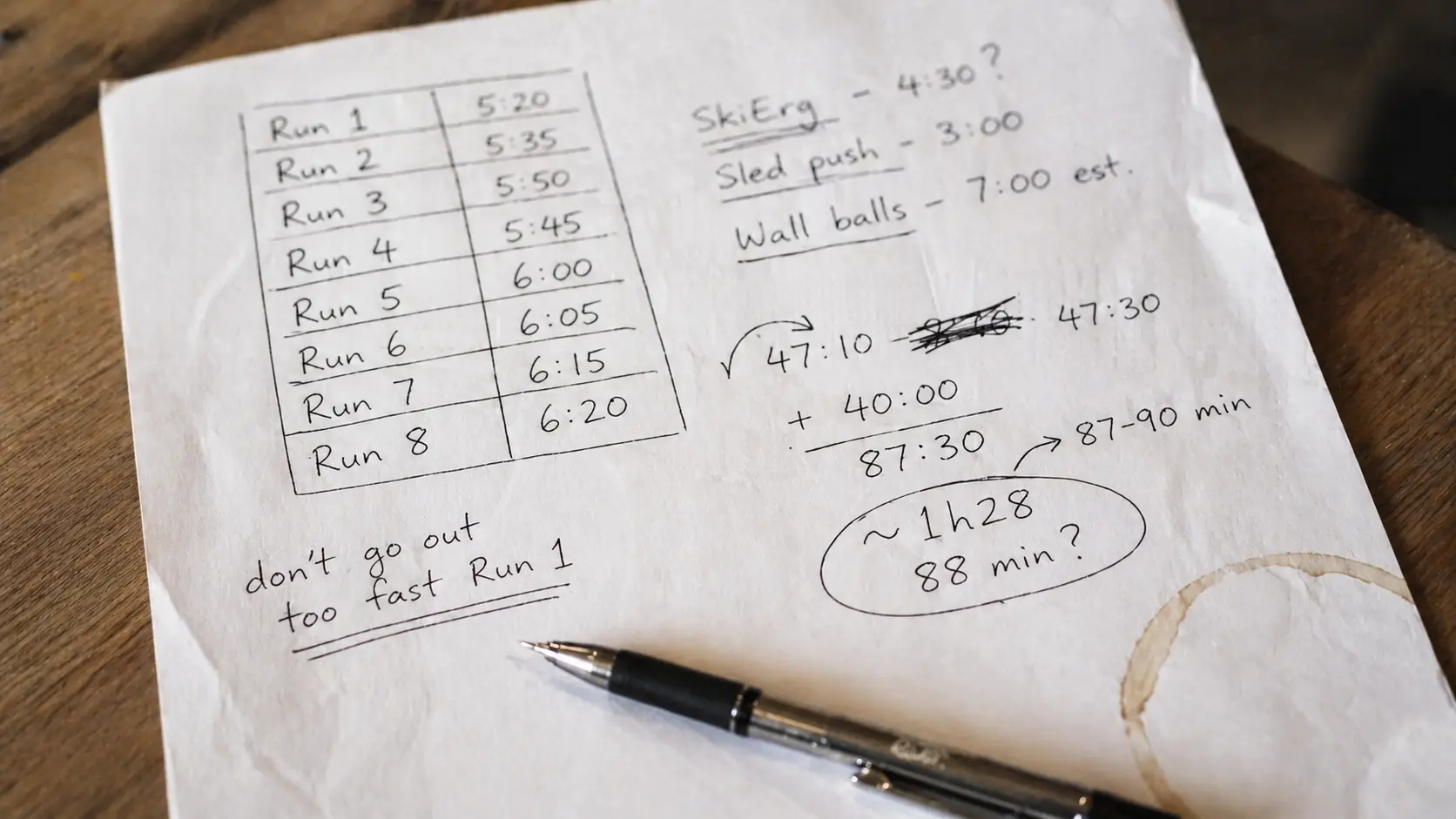
Knowing your goal time is easy. Knowing what it demands on Run 1, on Run 5 or on the Wall Balls is the hard part, and that is exactly where a HYROX race strategy earns its place. Going out hard and hoping for the best is not a plan.

Sold-out race? HYTRACK catches cancelled spots.
When athletes cancel, tickets silently reappear — and disappear just as fast. HYTRACK monitors every HYROX event and sends you an instant SMS or email alert the second a spot opens up or new tickets drop.
- Sold-out ticket recovery alerts
- New event on-sale notifications
- SMS & email — real-time
- All HYROX events worldwide
We analyzed 300 HYROX race results to turn a single finish-time goal into a pace for every run and a time for every station. The new Race Plan inside HYTRACK does exactly that, and this guide walks you through every field, step by step.
Already racing this season and worried about getting in? Visit the HYTRACK ticket alerts page to be notified the moment tickets go on sale or a sold-out spot reopens.
×

The first real space for HYROX athletes — race talk, training tips, finding a doubles partner. Free, and growing.
Join on Telegram → Free to join · No app requiredWhy a HYROX Race Strategy Starts With Numbers, Not Feelings
A HYROX race is 8 runs of 1 km, each followed by a station, and fatigue stacks up with every segment. A pace that feels easy on Run 1 can quietly cost you minutes by the Sandbag Lunges. That is why we covered what happens when you start too fast in your first HYROX in a dedicated guide.
A solid plan gives you concrete numbers to race against: a target for every run, a time for every station and checkpoints along the way. It also helps you spot where most athletes lose time in HYROX before it happens to you. Here is the short version of how to build yours.
- Choose your division, category and next race.
- Set your level and enter your 5K or 10K time.
- Enter your target finish time (or let the tool suggest one).
- Add optional details: last race, training days, strong and weak stations.
- Save your profile and generate your Race Plan.
- Read the pace of each run and the time of each station.
- Ask HYCOACH questions that use your own numbers.
Race Plan replaces the old Training Plan page in HYTRACK. It is a new tool, not an upgrade, so Training Plan data was not migrated, and old Training Plan links now redirect to Race Plan.

Build Your HYROX Race Plan Step by Step in HYTRACK
The Race Plan page is a short form followed by your plan. You fill it in once, everything is saved to your account, and HYCOACH reuses it later. Here is what each section asks and why it matters.
Step 1: Your Race – Division, Category and Next Event
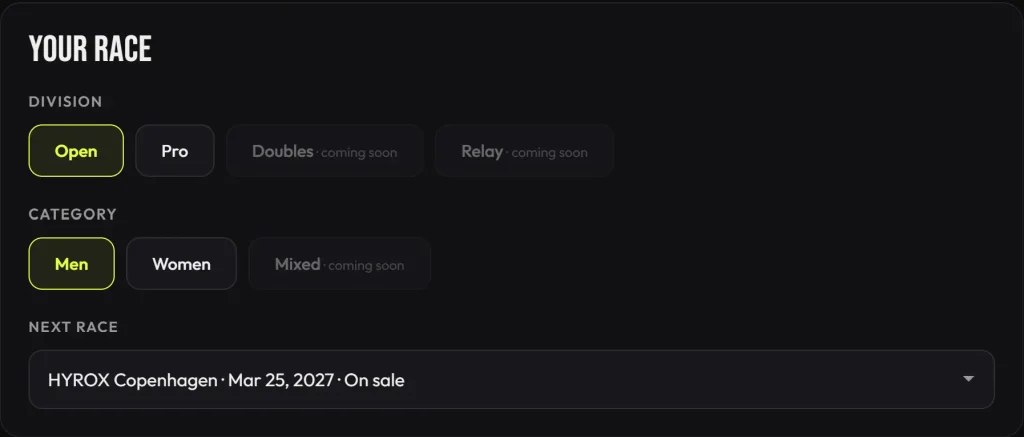
The first card is called “Your Race”. Pick your division (Open or Pro), your category (Men or Women) and your next race from the dropdown, which lists upcoming events with their date and ticket status.
Doubles and Relay are marked “coming soon”, and so is the Mixed category. Not sure which division fits you? Read how to choose your HYROX division or the full breakdown of HYROX divisions explained.
Step 2: Your Level and Running Benchmark
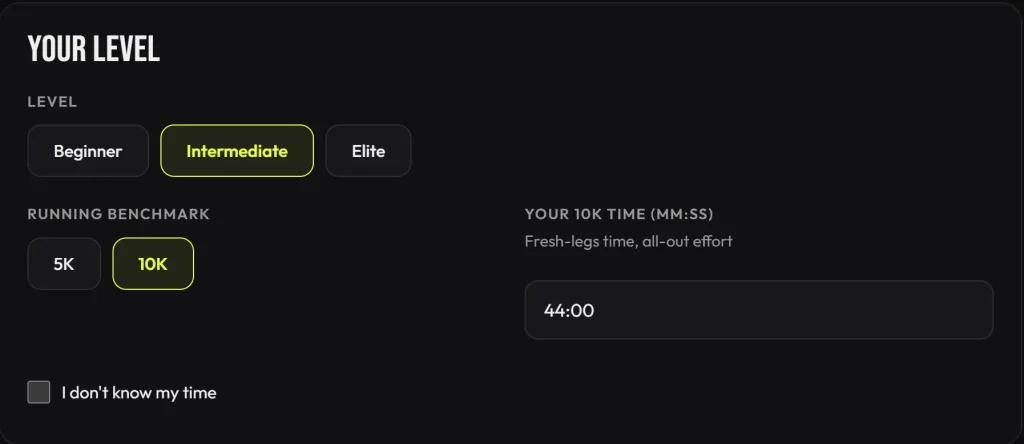
Next, declare your level: Beginner, Intermediate or Elite. Then choose a running benchmark, either your 5K or your 10K time, and enter it in mm:ss.
The tool asks for a fresh-legs time from an all-out effort, so use a genuine race or test result. If you have none, tick “I don’t know my time” instead of guessing.
Step 3: Your Goal – Target Finish Time
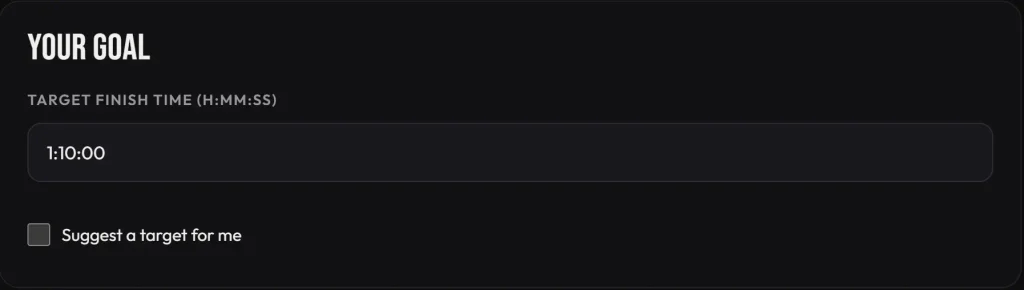
Now enter your target finish time in H:MM:SS. Prefer to start from data? Tick “Suggest a target for me” and let the tool propose one.
Be realistic here. The plan is built around this number, and everything downstream (every pace and every station time) depends on it. For reference points, check the HYROX average finishing time benchmarks or try the HYROX finish time estimator.
If your goal is too ambitious, the plan tells you. In our test profile (Open Men, 10K in 44:00, target 1:10:00), it flagged the target as more than 8% faster than what the 10K time suggests (1:24:25).
Step 4: More Details (Optional)
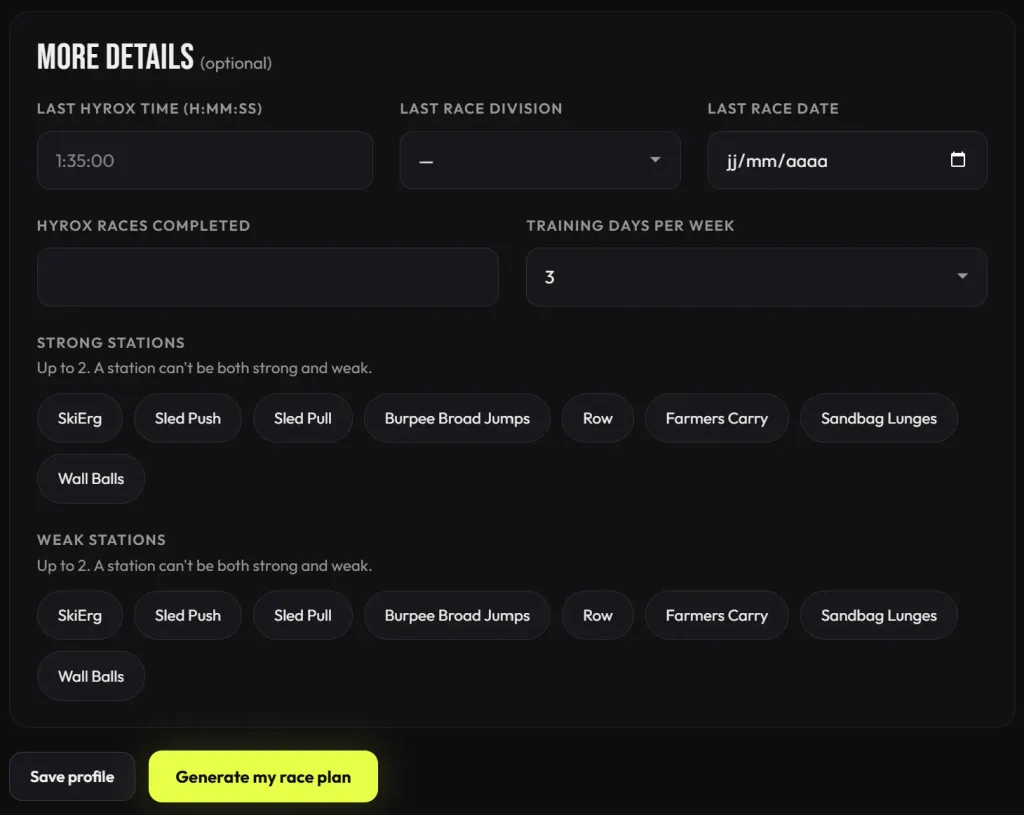
The optional “More details” card collects your last HYROX time, last race division and date, the number of HYROX races completed and your training days per week.
You can also flag up to 2 strong stations and up to 2 weak stations. A station cannot be both. These answers are saved to your profile, and HYCOACH reads them before it replies.
Step 5: Save Your Profile and Generate the Plan
Two buttons close the form. “Save profile” stores your answers, and “Generate my race plan” builds your plan. Each plan you generate is listed under “Previous plans” with its date and target time, so you can compare versions.
Step 6: Read Your Race Plan, Run by Run
Your plan appears as one table covering all 8 runs and all 8 stations. Each row shows the work, the load, the pace or time, and a running checkpoint so you know where you should be on the clock.
Below is the plan from our test profile (Open Men, Intermediate, 10K in 44:00, target 1:10:00). It is an illustration, not a standard to copy.
| Segment | Work & load | Pace | Time | Checkpoint |
|---|---|---|---|---|
| Run 1 | 1 km | 4:07/km | 4:07 | — |
| SkiErg | 1000 m | 1:55/500 m | 3:49 | 8:19 |
| Run 2 | 1 km | 4:08/km | 4:08 | — |
| Sled Push | 50 m · 152 kg | — | 2:28 | 15:41 |
| Run 3 | 1 km | 4:10/km | 4:10 | — |
| Sled Pull | 50 m · 103 kg | — | 4:18 | 24:55 |
| Run 4 | 1 km | 4:12/km | 4:12 | — |
| Burpee Broad Jumps | 80 m | — | 4:39 | 34:31 |
| Run 5 | 1 km | 4:13/km | 4:13 | — |
| Row | 1000 m | 2:03/500 m | 4:05 | 43:33 |
| Run 6 | 1 km | 4:15/km | 4:15 | — |
| Farmers Carry | 200 m · 2 × 24 kg | — | 1:47 | 50:19 |
| Run 7 | 1 km | 4:17/km | 4:17 | — |
| Sandbag Lunges | 100 m · 20 kg | — | 4:13 | 59:33 |
| Run 8 | 1 km | 4:14/km | 4:14 | — |
| Wall Balls | 100 reps · 6 kg · 3.00 m target | — | 5:29 | 1:10:00 |
Under the table, the plan summarizes the totals: 33:36 of running, 30:48 of stations and about 5:36 of Roxzone time, which is already included in the checkpoints. Nothing is left out. For exact loads in every division, see our guide to HYROX weights.

Step 7: Ask HYCOACH About Your Plan
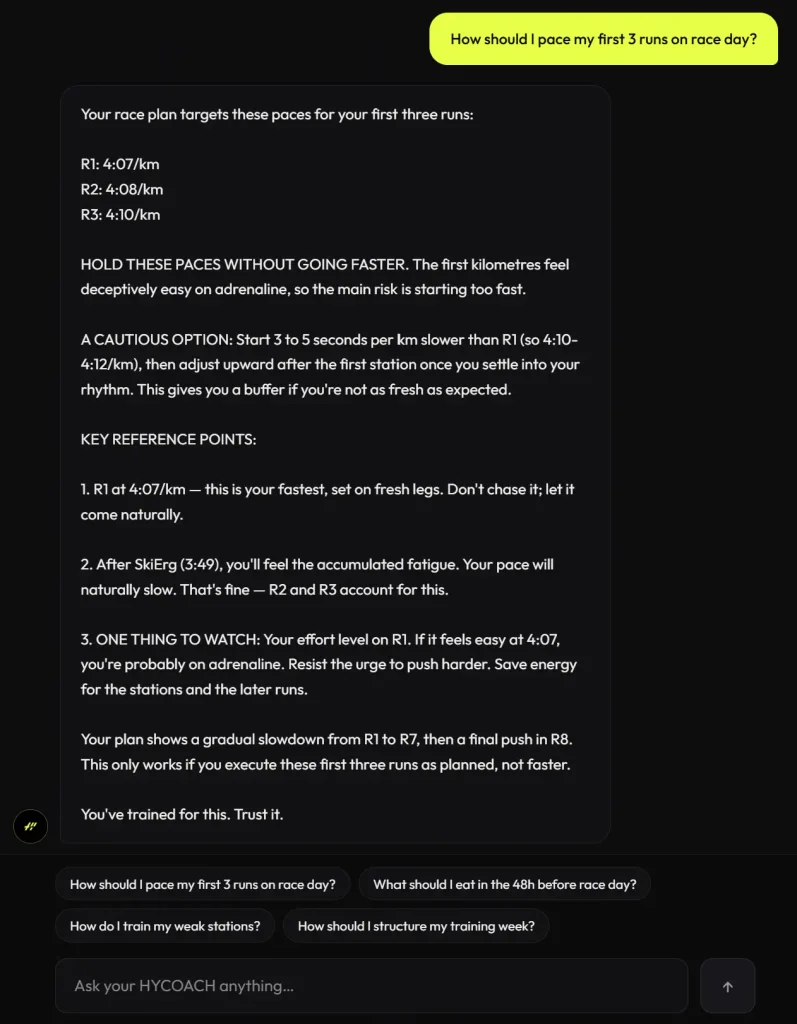
Once your plan exists, HYCOACH, the AI coach inside HYTRACK, can use it. Ask “What pace should I run my first 3 runs on race day?” and it answers with your own planned paces instead of generic advice. The next section explains how.
How the Race Plan Shapes Your Pacing
The plan is not improvised by an AI. It is built from a documented model, stored as a versioned configuration file, and the same inputs follow the same logic every time. Each run and each station gets a share of your total target time, and a run’s pace per km is the time allocated to that segment.
The shape of the pacing follows race reality rather than a flat line. Here is what to expect:
- Runs slow down gradually, by about 10 seconds per km from Run 1 to Run 7, to reflect real fatigue.
- Run 8 is planned about 3 seconds per km faster than Run 7, as a final push.
- The opening is nearly flat: controlled, not aggressive.
- Roxzone time is built into every checkpoint.
In the test profile above, the plan goes from 4:07/km on Run 1 to 4:17/km on Run 7, then back to 4:14/km on Run 8. That is the planned slowdown and final push in numbers.
Want to compare your plan with what other athletes actually do? Check the HYROX running pace splits and the HYROX station times by division.
HYCOACH v2: A Coach That Reads Your Race Plan
HYCOACH is HYTRACK’s conversational coach for nutrition, training and race strategy, powered by Claude. The big change in version 2 is that it knows the athlete: before answering, it reads your profile and your Race Plan.
That includes your level, your profile answers, your target finish time, the pace of each of your 8 runs and the time of each of your 8 stations. It quotes those numbers when you ask, and it describes the plan factually. It will not call a controlled start “aggressive” or dramatize it.
A few practical details are worth knowing before you start chatting:
- Clickable suggested questions appear above the message box, so you can start with one tap.
- HYCOACH keeps your conversation in order and builds a short running summary every 5 messages, so it keeps context in long chats.
- Fair-use limits are 30 messages per 24 hours and 4,000 characters per message.
- HYCOACH no longer collects health data. Its health-related guidance is limited to general guidance.
Both tools are part of the HYTRACK subscription, with no extra cost for Race Plan or HYCOACH v2.
Common Mistakes When Building Your Race Strategy
A plan is only as good as the numbers you feed it and how you use it on the day. These are the mistakes to avoid.
- Setting a target your running does not support. If the tool flags your goal as far faster than your 5K or 10K suggests, take the warning seriously.
- Entering a tired or casual benchmark. The tool asks for a fresh-legs, all-out time. Anything slower or softer gives you a distorted plan.
- Running Run 1 faster than planned. The plan starts controlled for a reason. Banking time early is the classic way to blow up later.
- Adding Roxzone time on top. It is already included in the checkpoints, so do not subtract it twice.
- Treating the plan as a law. The estimates come from typical HYROX race data, so adjust to how you feel on race day.
Pacing is only one part of the picture. To build the fitness behind the numbers, follow the complete HYROX training plan or browse our Training category.
What the Race Plan Does Not Cover Yet
Race Plan is a single-athlete tool for now. Doubles and Relay divisions and the Mixed category are marked as coming soon in the form. If you race as a pair, our guide to HYROX doubles strategy is the best place to start.
The Doubles plan is not available yet. Race Plan currently builds plans for single athletes only (Open or Pro, Men or Women).
Quick Action Plan
Ready to put your HYROX race strategy on paper? Do this today:
- Open the Race Plan page in HYTRACK and pick your division, category and next race.
- Enter your level and a real 5K or 10K time from an all-out effort.
- Set a target finish time you can defend, or tick “Suggest a target for me”.
- Add your strong and weak stations, then click “Generate my race plan”.
- Read your checkpoints and memorize the first three run paces.
- Ask HYCOACH how to approach your weak stations using your own plan.
FAQ
Is the HYTRACK Race Plan free?
Race Plan is included in the paid HYTRACK subscription at no extra cost, and HYCOACH v2 is included too. HYTRACK also offers a 15-day free trial.
What if I do not know my 5K or 10K time?
Tick the “I don’t know my time” box in the Your Level section. For the target, you can also tick “Suggest a target for me” and let the tool propose one.
Does the Race Plan include Roxzone time?
Yes. The Roxzone (transition) time is already included in the plan and in the checkpoints. In the test profile it totals about 5:36 out of a 1:10:00 target.
Can I get a Race Plan for Doubles?
Not yet. The tool currently supports single-athlete plans only, and Doubles and Relay are marked as coming soon.
How many questions can I ask HYCOACH?
Each athlete can send 30 messages per 24 hours, with a maximum of 4,000 characters per message. HYCOACH reads your profile and Race Plan before answering.
For official formats and standards, refer to the official HYROX website.
Training tips & HYROX insights
Join the list — guides, race strategies and performance content, straight to your inbox.